Dispatch Text Messaging That Speeds Up Operations.

Coordinate technicians, update customers, and manage dispatch operations faster with automated text messaging built for field service teams.

 
  • omnee logo
  • nasm logo
  • Treehouse logo
  • lightspeed logo
  • nexford uni logo
  • octopus logo
  • ManhattanLife logo
  • appsketiers logo

Run Dispatch Operations More Efficiently with SMS

What is Dispatch Text Messaging?

Dispatch text messaging enables real-time communication between dispatch centers, field technicians, and customers through SMS. It replaces time-consuming phone calls with instant text updates for job assignments, status changes, and customer notifications.

Why Dispatch Teams Need Text Messaging

Phone calls create bottlenecks in dispatch operations. Technicians can't always answer while working. Customers get frustrated waiting for callbacks. Dispatch coordinators spend hours on repetitive status updates. Text messaging solves these problems by creating efficient, asynchronous communication. Benefits include:

  • Faster job assignment and acknowledgment from technicians
  • Reduced phone tag between dispatch and field teams
  • Proactive customer updates that prevent "where's my technician" calls
  • Better documentation of communication for quality control
  • Ability to coordinate multiple jobs simultaneously without confusion
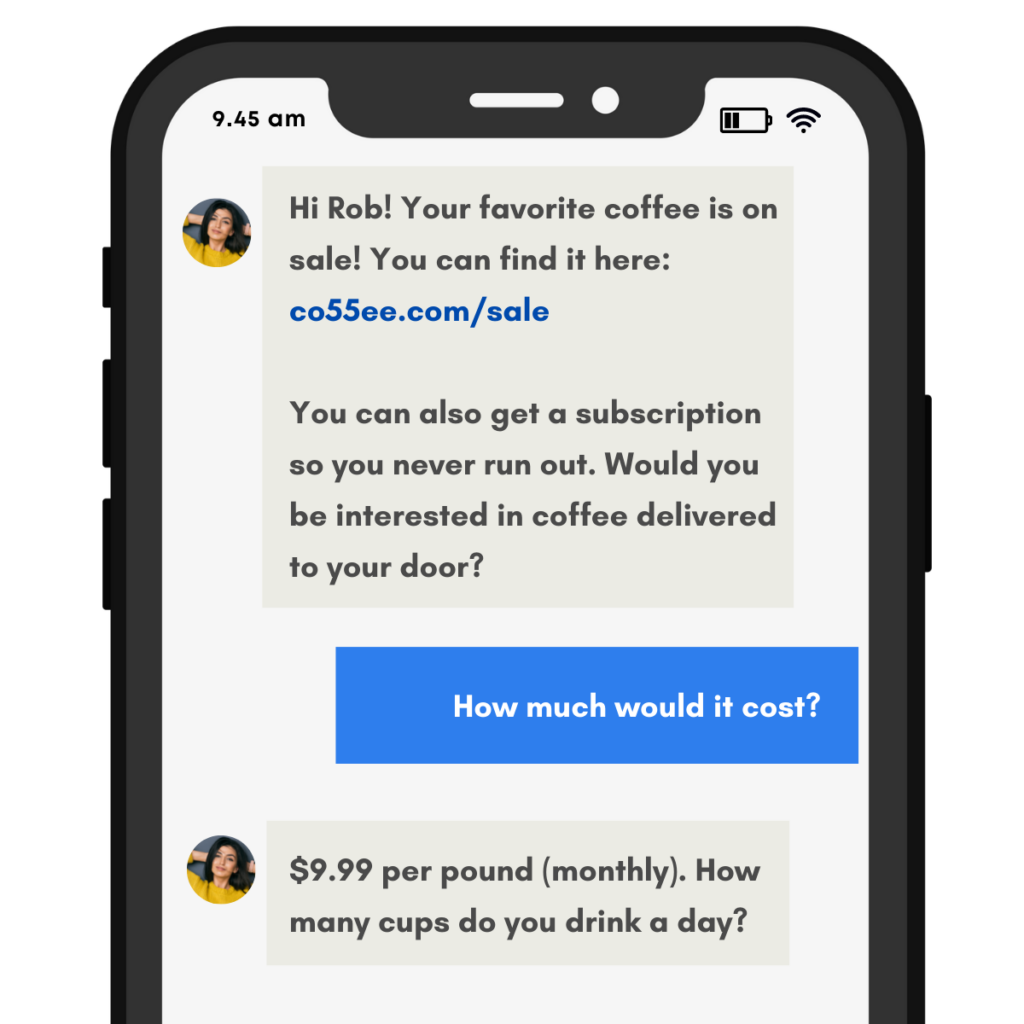
Orange-Text-Message-Quote-LinkedIn-Post-1024x1024

Keep Customers Informed

Automatically notify customers when technicians are dispatched, provide ETAs, and send updates if schedules change. Reduce inbound calls asking for status.

Dispatch Jobs Instantly

Send job details to technicians via text the moment work comes in. They receive addresses, customer information, and special instructions without waiting for a phone call.

Coordinate Multiple Jobs

Manage your entire field team through text messaging. See who's available, assign jobs efficiently, and adjust schedules on the fly without phone call delays.

Start Your Free Trial Today

No commitments. No credit card required.

How Dispatch Text Messaging Works

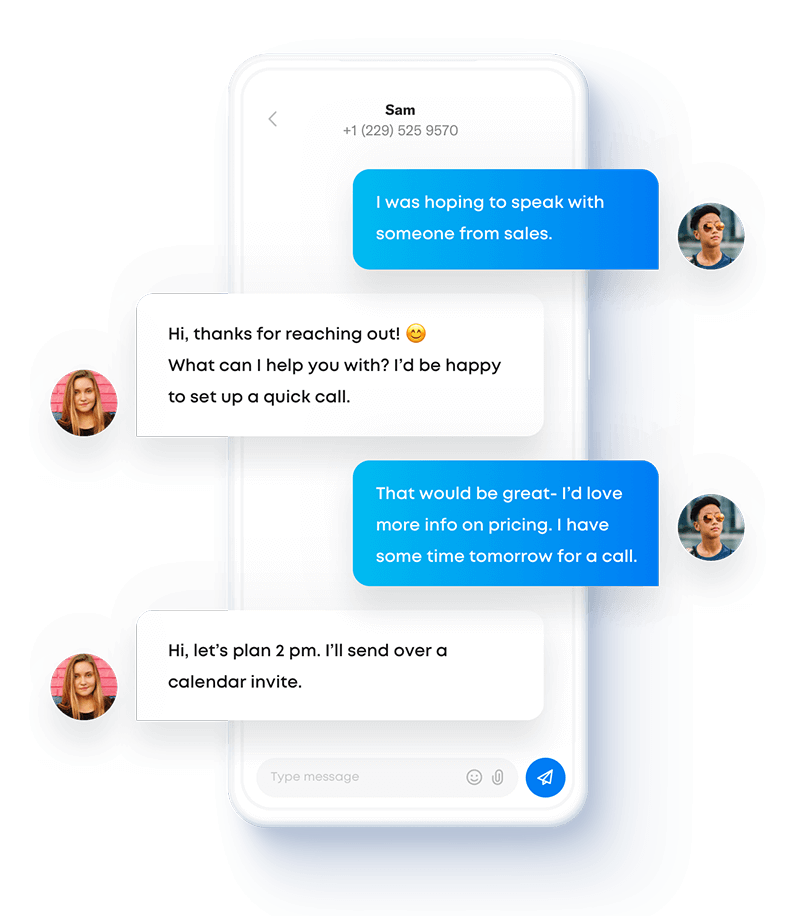
Send-and-receive-SMS

Streamline Field Service Communication with SMS

HVAC dispatch teams use text messaging to assign emergency calls to on-call technicians within minutes instead of making multiple phone calls. Plumbing companies send job details and site photos to technicians before they arrive, improving first-time fix rates. Pest control dispatchers coordinate route changes via text when appointments cancel, keeping schedules optimized. Electrical contractors send safety alerts and job updates to crews on commercial sites without disrupting their work.

The system creates clear communication trails that prevent confusion and missed information. When dispatch assigns a job via text, technicians can quickly confirm or flag conflicts. When customers need to reschedule, dispatch handles it through text without interrupting field work. When jobs complete, technicians update status via text, triggering the next customer notification automatically.

Sakari's dispatch text messaging supports:


  • Individual and group messaging for coordinating crews
  • Templates for common dispatch scenarios
  • Two-way communication between all parties
  • Integration with scheduling and routing software

Handle Emergency Dispatch Faster

Emergency calls require immediate technician response, but phone calls slow everything down. Call the first technician—no answer, they're on a ladder. Call the second—they're driving and can't talk. Call the third—finally connected, but now you've wasted five minutes.

Dispatch text messaging changes this. Send the emergency job details to your on-call rotation simultaneously. The first available technician responds via text, accepts the job, and you notify the customer immediately. What took five phone calls now happens in under a minute.

Speed up emergency response with:

  • Simultaneous alerts to multiple technicians
  • Quick-response options (yes/no, ETA confirmation)
  • Automatic customer notification when technician accepts
  • Escalation workflows if no one responds within set timeframes
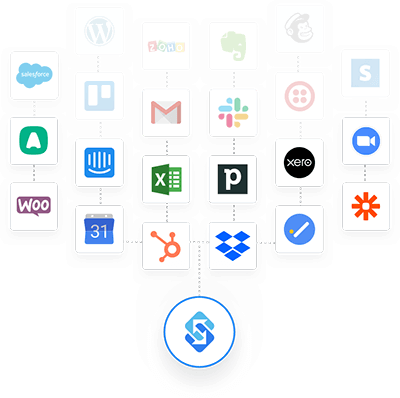
Sakari-Integrations-1

Connect Your Contacts

Track two-way SMS directly inside your favorite business systems by syncing your contacts with one of our integrations.

Connect HubSpot, Pipedrive, Intercom, Google, Zapier, Aircall and over 1,500 other apps to help you get the most out of Sakari.

WHY

Dispatch Text Messaging Features

Everything you need to coordinate field teams and keep customers informed.

SMS Campaigns

Pre-schedule text messages and SMS marketing campaigns for a certain date and time.

SMS Autoresponders

Setup SMS autoresponders when specific keywords are sent to your phone numbers.

CSV Imports

Use our CSV imports to add and edit contacts, create lists, and send messaging campaigns.

Phone Number Groups

Assign users to specific phone number groups to help distinguish your team channels.

Messaging Templates

SMS templates let you create a message once and then reuse it with just a click of a button.

Alphanumeric Sender IDs 

Outside of North America, send text messages from your existing Brand name using alphanumeric sender IDs.

Email to SMS

Receive text messages as emails, and reply to them from your email, with your replies being sent as text messages.

Landline Enablement

Send and receive text messages from your existing business landline or VOIP phone number.

Scheduled Messages

Schedule your 1:1 and messaging campaigns for future delivery at just the right time.

Check Out Sakari's Pricing Plans

Multiple pricing options for your business teams.

TESTIMONIALS

Hear It From Our Customers

  • "Top off your important email campaigns with text! Our email open rate has improved by 5-10% with Sakari due to sending texts to those who haven't opened our emails. Also, the team is very friendly and provides prompt user support."

  • Our businesses understands how absolutely foundational to our marketing and sales strategy this application is. On my end, Sakari has proved invaluable to my department and is worth every penny we spend to send texts -- literally!"

  • "I've been using Sakari for a couple of months. I'm still new to this SMS marketing, and their people were INCREDIBLY helpful, spending several Zoom sessions with me whenever I have a question, walking me through the system. Great company, great product, great people!"


  • "Sakari offers a great Product and their team provides wonderful customer service. We do sales by phone and adding services from Sakari has allowed us to expand our reach by texting potential customers. I would recommend this company 100%!!"

Frequently Asked Questions

Dispatch Text Messaging FAQs

How does dispatch text messaging improve response times?

Dispatch text messaging eliminates phone tag that delays job assignments. Instead of calling technicians until someone answers, you send job details to available technicians simultaneously via text. The first person to respond gets the job, and you've saved 5-10 minutes of coordination time.

For routine scheduled work, text messages provide clear job details technicians can reference throughout the day without calling dispatch for information. For emergencies, simultaneous alerts to multiple technicians ensure the fastest possible response regardless of who's available first.

Can technicians receive dispatch messages while driving?

Yes, and text messaging is actually safer than phone calls for mobile technicians. Texts don't require immediate attention like ringing phones do, so technicians can pull over or wait until a stoplight to safely check messages. Many use voice-to-text to respond hands-free if needed.

Some dispatch teams use the Sakari mobile app, which can read incoming messages aloud through the vehicle's Bluetooth system. Technicians hear job details without looking at their phones and can respond via voice commands.

What information should dispatch messages include?

Effective dispatch text messages include: customer name, service address, contact phone number, job type or issue description, appointment time or arrival window, and any special access instructions. Keep messages concise but complete. Technicians should have everything needed to complete the job without callbacks to dispatch.

For example: "NEW JOB - Smith HVAC tune-up, 123 Main St, Santa Rosa. Apt 10am. Code 4567 for building entry. Customer: 555-0123. Confirm receipt."

How do I handle technicians who don't respond to texts?

Set clear expectations during onboarding that text messages require timely acknowledgment, typically within 5-10 minutes unless they're actively working. Most responsiveness issues stem from unclear policies rather than unwillingness.

Build escalation into your system: if a technician doesn't respond within your timeframe, the message automatically goes to the next available person. Track response rates to identify chronic issues and address them through coaching.

Does field service integration work for emergency dispatch?

Yes, and it's particularly valuable for emergency services. When urgent jobs come in, automated notifications immediately alert on-call technicians. Customers receive instant confirmation that help is on the way, along with expected arrival times.

Plumbing companies handling burst pipes and HVAC companies responding to heating failures use this for after-hours emergencies. The integration ensures fast communication even when office staff isn't available to make manual calls.

Can customers text dispatch directly?

Yes, and many dispatch operations benefit from giving customers a direct text line. When customers need to reschedule, ask questions, or report issues, texting dispatch is faster than waiting on hold. Your dispatch team can handle multiple text conversations simultaneously, unlike phone calls that tie up lines.

Set up a dedicated dispatch number or use landline texting to enable texts to your existing phone number. Configure auto-responses for common questions during busy periods or after hours.

Does dispatch text messaging work for multiple locations?

Yes. Set up different phone numbers or groups for each location to route messages appropriately. West Coast dispatch uses one number, East Coast another. Technicians in each region only receive jobs relevant to their territory.

You can also use a single dispatch number with smart routing based on technician location or availability. The system distributes jobs to the closest available technician automatically.

How do I prevent message overload for technicians?

Use message grouping and priority levels to keep communication manageable. Send daily schedule summaries once in the morning rather than individual messages for each job. Reserve texts for time-sensitive updates: new assignments, schedule changes, customer contact requests, and emergencies.

Let technicians update their availability status ("on job," "available," "off duty") so they only receive messages when they can actually respond. This prevents notification fatigue while maintaining efficiency.

Can dispatch text messaging handle after-hours emergencies?

Absolutely. After-hours emergency dispatch is one of the best uses for text messaging. Set up on-call schedules with automatic rotation. When an emergency comes in after business hours, the system alerts the current on-call technician and escalates to the next person if no response comes within your timeframe.

Plumbing companies handling burst pipes and HVAC companies with heating failures use this to ensure 24/7 coverage without requiring dispatch staff overnight. The system manages emergency routing automatically based on your rules.

What happens if messages fail to deliver?

Sakari tracks delivery status and alerts you when messages don't go through. This typically happens due to phone service issues, not the platform. When a message fails, you receive an immediate notification and can try an alternative contact method or different phone number.

Most dispatch operations keep backup contact information (alternative phone numbers, email) for situations where primary text delivery fails. The system can automatically try backup methods based on your configuration.

Is dispatch text messaging compliant with labor laws?

Yes, when implemented properly. The key is respecting off-duty time and maintaining clear boundaries. Don't require off-duty technicians to respond to non-emergency messages. Make on-call expectations and compensation clear in employment agreements.

Some companies configure the system to only send messages during work hours unless the technician is on the on-call rotation. Others let technicians set their availability status to prevent messages during off time. Document your policies and apply them consistently.

Try Sakari for free.

100% Free trial · Easy setup · No credit card required