







HubSpot SMS Integration
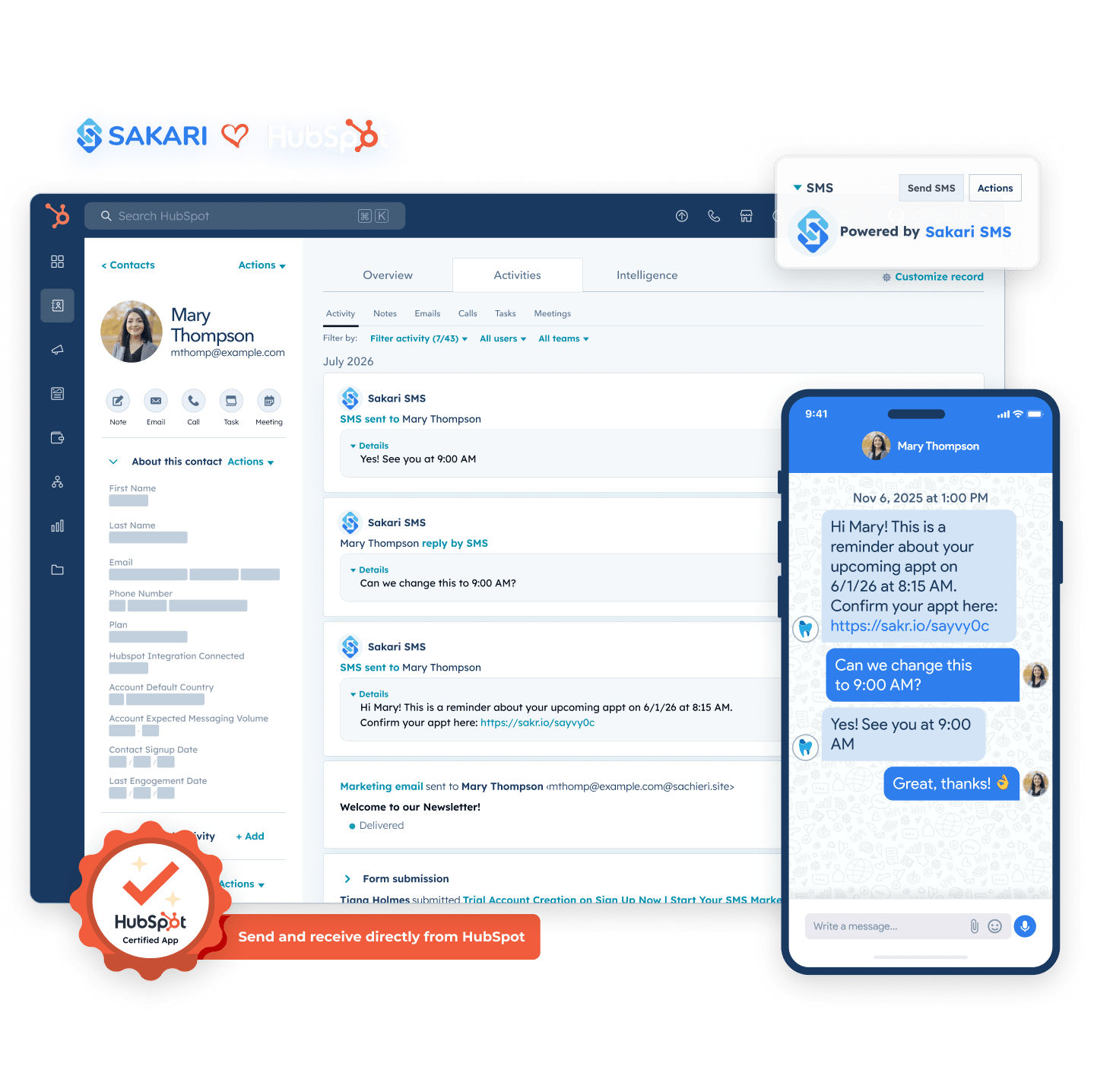
With SMS for HubSpot, send and receive text messages directly from your HubSpot account to accelerate your sales, customer support, and marketing. Find out why Sakari is the most downloaded SMS integration for HubSpot.
- Set up in 5 minutes. No developer needed
- Automate with higher response rates in HubSpot workflows
- Conduct two-way conversations
- Text contacts in over 200 countries
- Improve engagement with 98% response rates
Enhance Your Marketing Reach with HubSpot and Sakari SMS Integration
Elevate your customer engagement with the power of SMS functionality —directly integrated into your HubSpot workflow. Not only will you see improved open rates, but you'll also convert more contacts into loyal customers with every message sent.
Improve Communication Efficiency
Improve communication efficiency by integrating SMS into HubSpot. Reach customers more directly, boost engagement, and personalize messages using 30+ HubSpot properties.
Streamlined Workflows
Streamline workflows by automating SMS in HubSpot. Use customer data to personalize messages, manage everything from one platform, and work faster with reusable SMS templates.

HubSpot Bulk Text Setup Guide
Get your setup guide ebook and start seeing ROI today.
HubSpot Bulk Text Setup Guide
Get your setup guide ebook and start seeing ROI today.
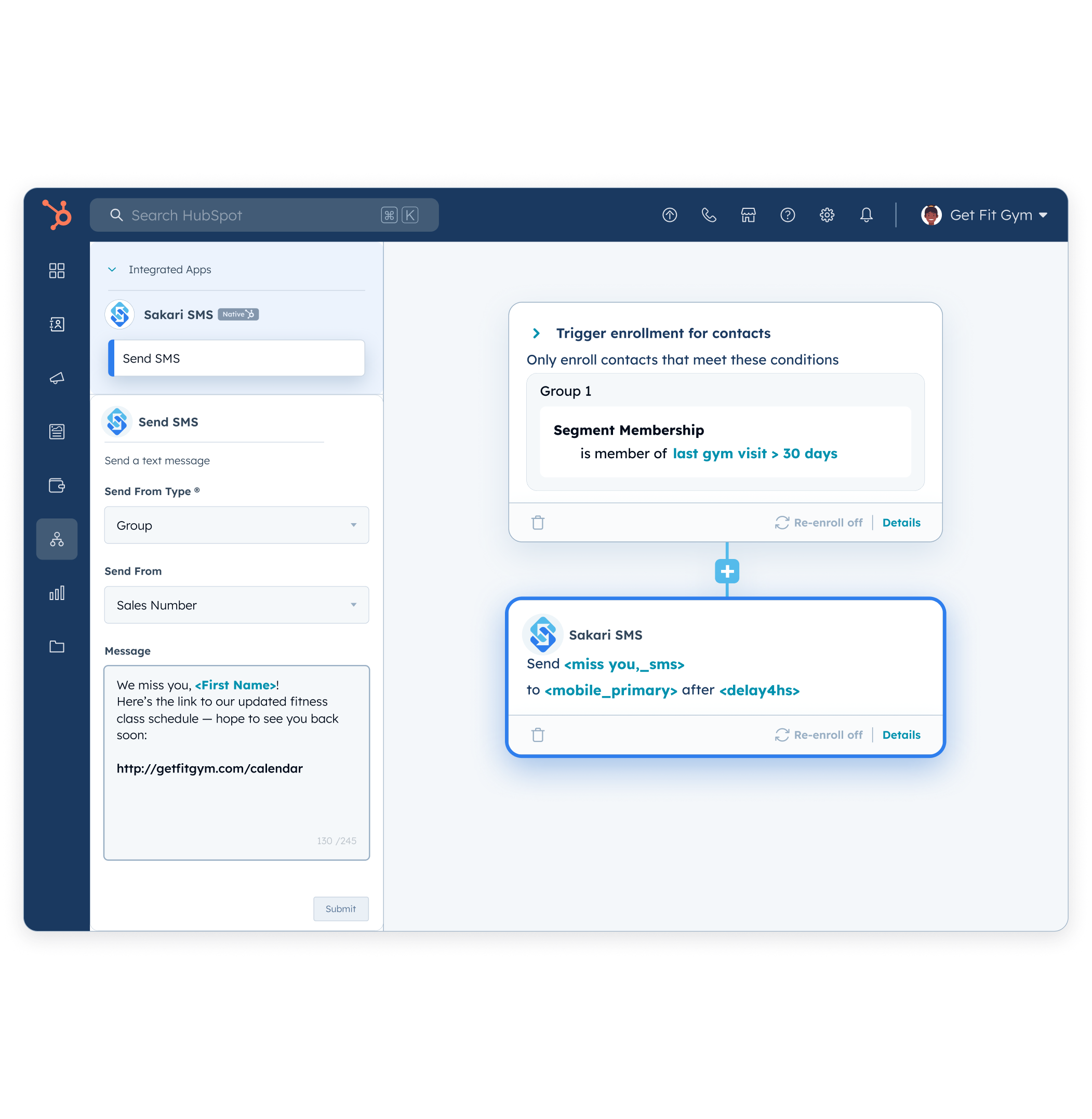
HubSpot SMS Automation
Get more out of your HubSpot workflows by adding automated text messaging. A marketing message is only as good as its visibility, and nothing gets in front of your customers like a text.
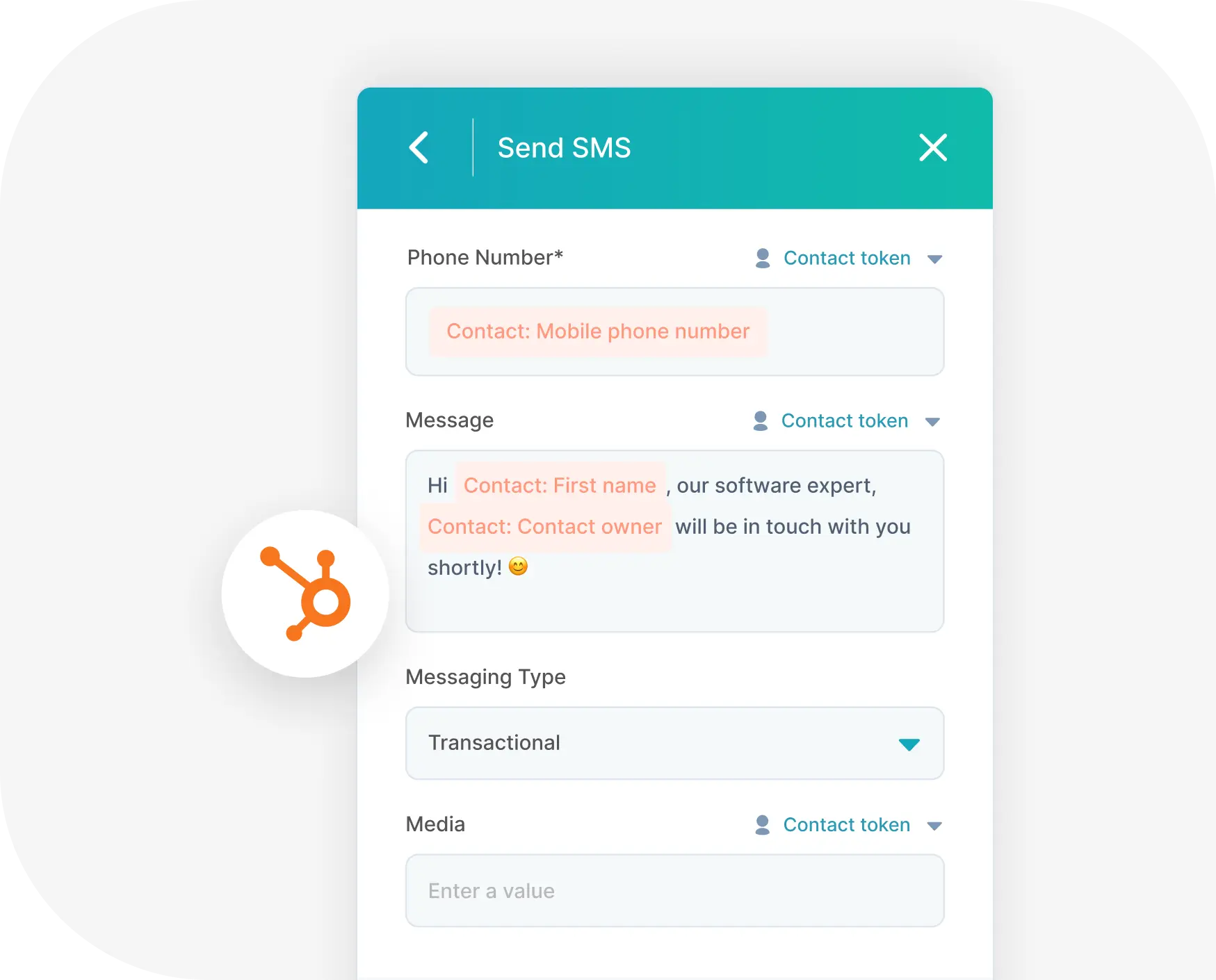
Customize each message with:
- Token phone numbers
- Messages templates with added personalization
- Marketing or transactional message types
- MMS messaging (US and CA only)

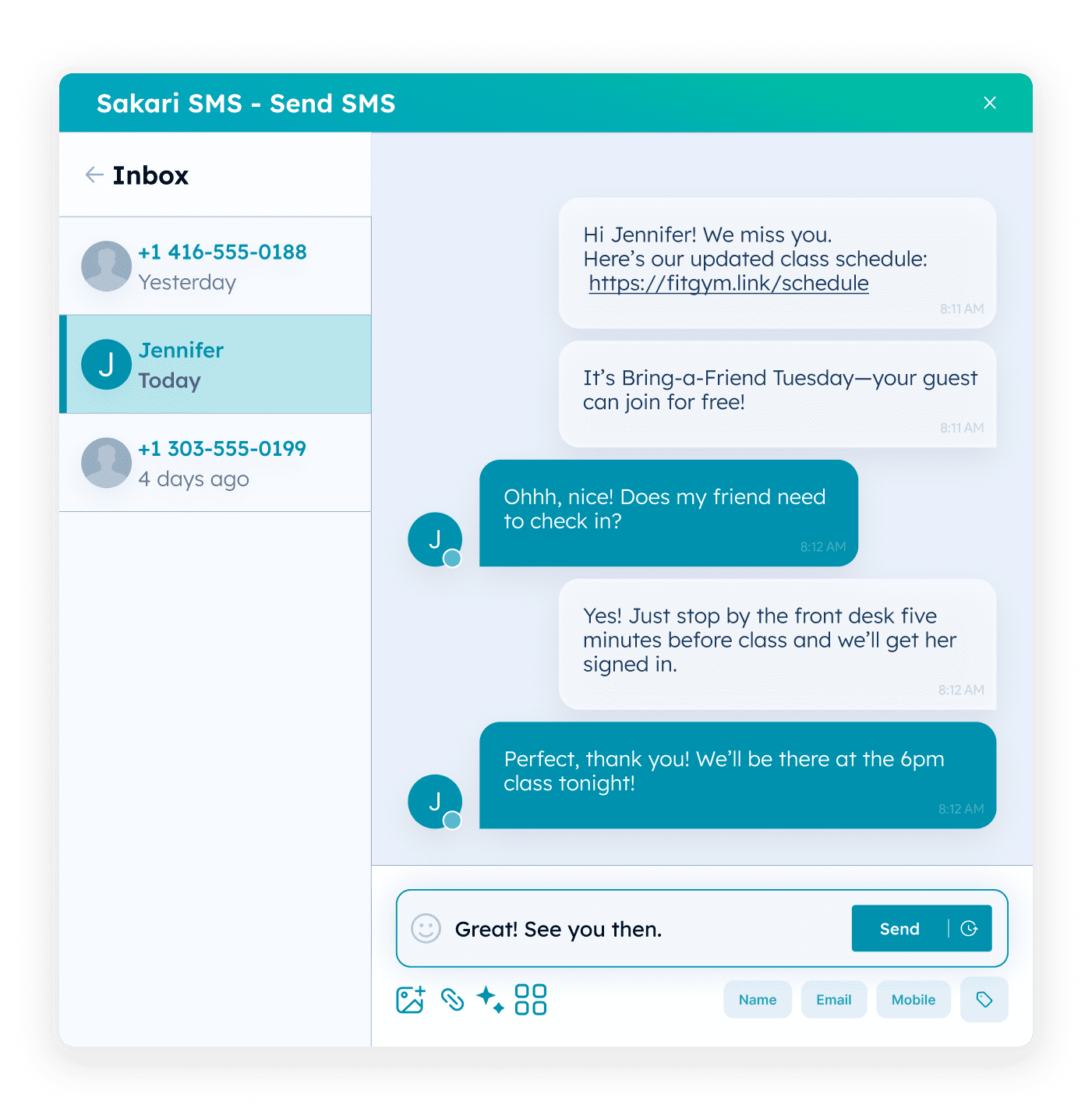
2-Way Contact Messaging
Have easy texting conversations directly in your HubSpot CRM. With Sakari, a new “SMS” module is added to each HubSpot contact record where you type in your message and send—it’s that easy!
Expand your HubSpot communication using:
- 1:1 Contact Messaging
- Deal Messaging
- Ticket Messaging
- HubSpot Workflows
- SMS Marketing Campaigns
HubSpot Workflow Triggers
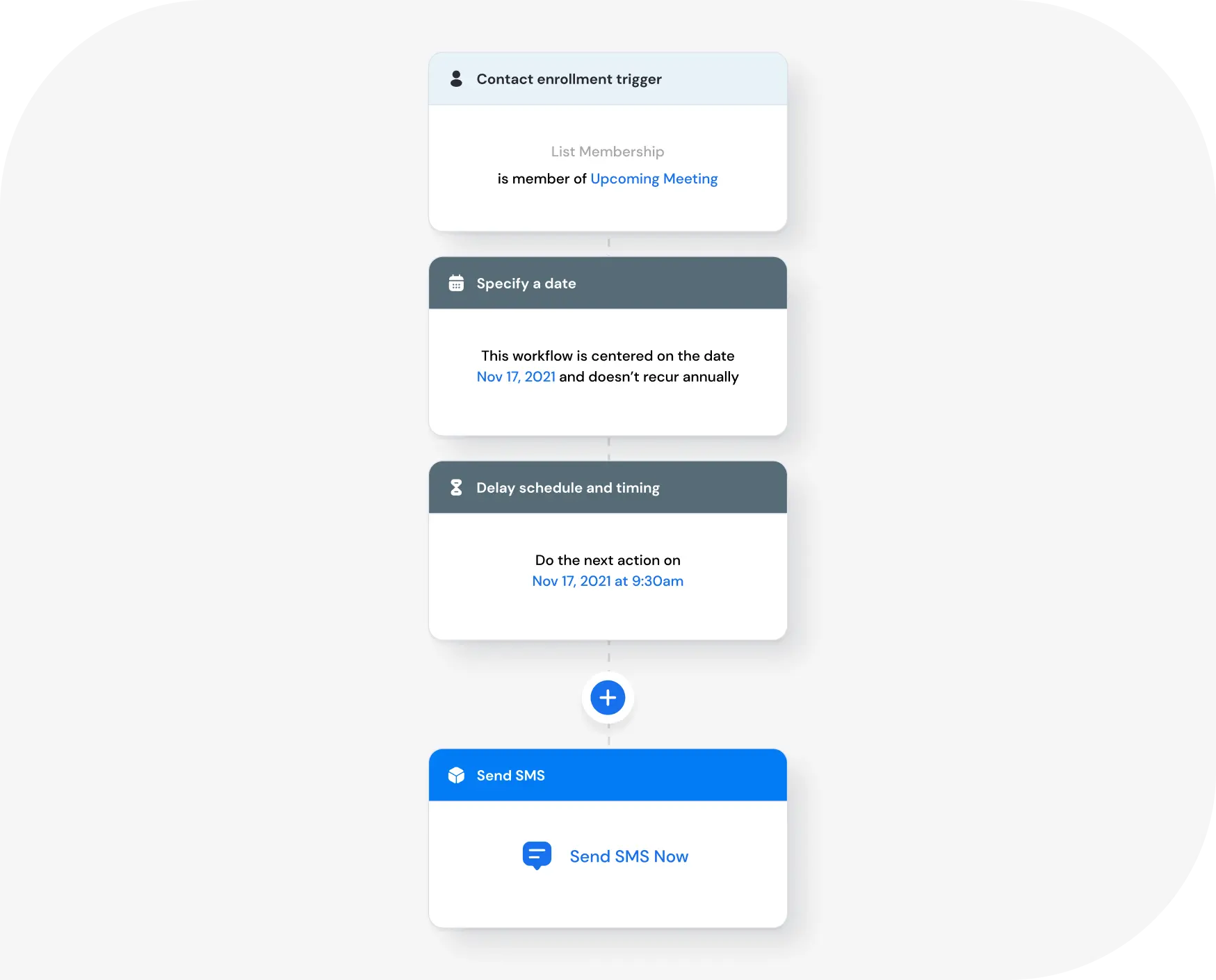
Add HubSpot text messaging to any HubSpot workflow to automate lead qualification and customer communication. Save time by automatically triggering a text message based on the actions you specify.
You can trigger messages for:
- New subscribers
- Form completions
- Won deals
- Tasks created
- Order notifications
- Appointment reminders
- Follow-up actions
- And more!
Intelligent Global Messaging
Sakari is purpose-built for global scale. Send International messages from local numbers.
- SMS coverage in 200+ countries
- GlobalSense AI auto-picks local sender number
- Local numbers or alphanumeric IDs
- Two-way messaging in supported regions
- Schedule texts for the optimal time for your contacts
- International pricing that supports scale
“SMS is truly the simplest way to get participation from a busy client type.
Sakari has allowed us a highly scalable, engaging, and powerful way to connect with customers, store structured data, and bring transparency across teams. We've never been closer to our clients!”
Paul Wurth
Head of Sales, RenoRun Inc.

HubSpot SMS Integration FAQs
How hard is it to set up the HubSpot SMS integration?
It's easy! You'll need both a HubSpot and Sakari account. You'll link them both together, which takes only a few minutes and doesn't require any coding.
We've outlined the steps to set up the integration here.
Can I create automated SMS campaigns in HubSpot?
Yes, you can use Sakari SMS as a trigger or an action in HubSpot workflows to automate text messaging. You can also create workflows at the deal level.
Do you support two-way SMS?
Yes. You can have real-time two-way text messaging conversations directly in HubSpot.
What countries do you support?
We have messaging support for over 200 countries, including the United States, Canada, United Kingdom, Australia, and France. To view our complete list of countries, view our pricing page.
Can I use an alphanumeric sender ID?
We support the use of sender IDs. You can now also receive responses to your sender ID through our sender ID response feature.
Can I have a dedicated phone number?
Yes. We can set your account up with a dedicated phone number. You can choose from a long code number, a landline number, toll-free, or VoIP.
We can also create dedicated phone numbers for each contact owner.
Can I send images as text messages (MMS)?
Yes. We support two-way MMS (image) messaging in the United States and Canada.
MMS messages are priced at a $0.02 USD premium to whatever plan rate your account is on. For example, if you're in the Starter plan with a rate of $0.032 USD per segment in the United States, an image message would be $0.052 USD.
In addition to sending the image, MMS have the advantage of increasing your available character count limit to 1,600 characters (compared to 160 typically for SMS). Accordingly, you can send longer text messages without incurring multiple segments.
What's included in the free trial?
We offer a 14-day free trial plan with $5 USD of messaging credits for you to try out all the tools and features. No credit card is required to get started.
What does a message cost?
Your cost per text message is based on three criteria:
- Your Sakari messaging plan
- The length of your message, which is measured in segments
- The destination country of the recipient
What is a message segment?
Text messages are measured in character batches called segments. You are billed for each segment sent and received. Segments are typically 160 characters in length, check out our SMS length calculator.
Can I change my subscription at any time?
Yes. Our plans are all month-to-month. You can upgrade, downgrade or cancel your plan at any time.
Try Sakari for free!
100% Free trial. No credit card required.