Explore Sakari features that will enhance your Intercom messaging all around.
Two-Way Conversations
Send and receive text messages with your contacts directly from Intercom.
Custom Views
Create individual SMS conversation views for your team members.
Automated SMS Tags
With automatic SMS tagging, easily distinguish your texting conversations.
Easy Setup
Link your Intercom account directly with Sakari in less than a minute.
We have your Intercom text messaging needs covered.
Quick integration setup
Send and receive SMS text in Intercom
Manage multiple phone numbers
Use images, emojis, and links 😁
Create custom Intercom views
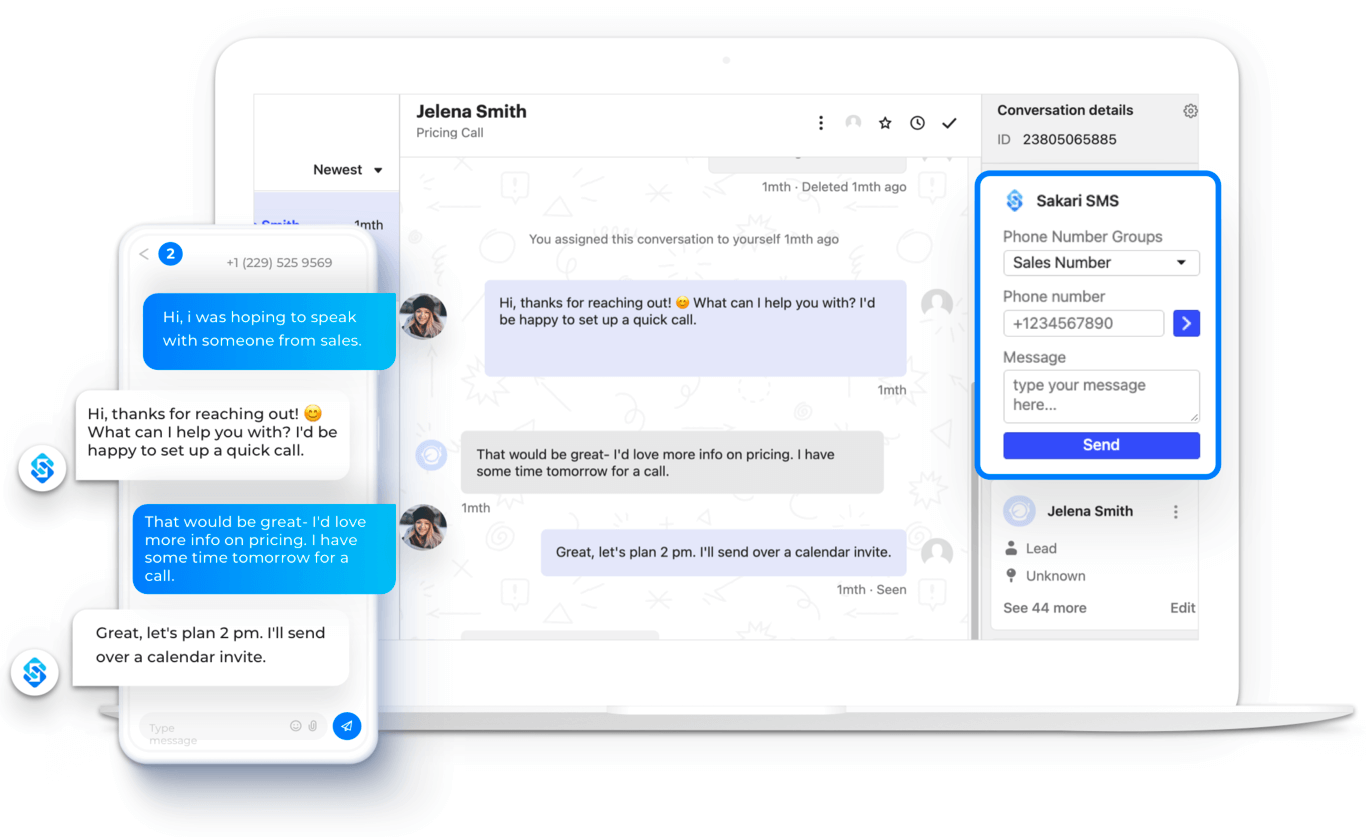
With Sakari’s SMS widget directly inside of Intercom’s CRM tool, your customer support or sales teams can manage all inbound and outbound text messaging right in your inbox.
Select your outbound number
Auto-populate a contact name or phone number
Send SMS from Intercom
Manage two-way SMS from the Intercom inbox
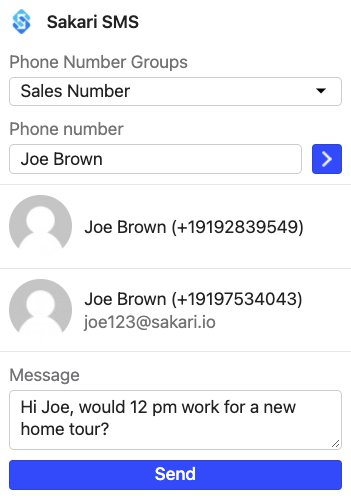
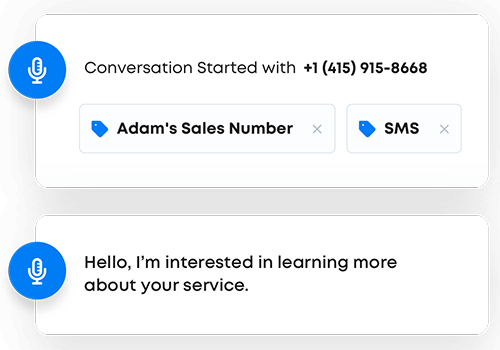
Sakari automatically adds two unique tags to the beginning of your conversation.
These tags include the Outbound Phone Number that the text is being sent from, along with an SMS tag that helps identify this as a text messaging conversation.
CUSTOMER SUCCESS STORY
engagement
communication
hub
“SMS is truly the simplest way to get participation from a busy client type.
Paul Wurth
Head of Sales, RenoRun Inc.
Frequently asked questions
Sakari's Intercom integration adds native two-way SMS to your Intercom workspace, so your team can send and receive text messages alongside live chat, email, and other Intercom channels without leaving the platform. Inbound texts route into Intercom as conversations, outbound messages send directly from the Intercom composer, and the full message history is captured in the contact record like any other interaction.
The integration links your Intercom account with Sakari in less than a minute, with no code or technical setup required. Once connected, every Sakari phone number you have available shows up inside Intercom, and your team can start texting customers from the same interface they already use for support, sales, or onboarding conversations.
Yes. The integration supports multiple Sakari phone numbers inside Intercom, which is useful when different teams or business units need their own dedicated lines. A sales team can send from one number, support from another, and marketing from a third, with all conversations flowing into the same Intercom workspace but staying organized by sender.
This setup also makes it easier to manage regional or campaign-specific numbers without confusion. You can assign specific phone numbers to specific Intercom teammates, set up custom views so each rep only sees conversations on their assigned line, and track performance by number to see which channels are driving the most engagement. Switching the sending number for a given conversation takes one click inside the Intercom composer.
Sakari automatically applies two unique tags to the beginning of every SMS conversation in Intercom. The first tag identifies the outbound phone number the text was sent from, and the second tag marks the conversation as an SMS interaction. This makes it easy to filter SMS threads separately from email, chat, and other Intercom message types when you're managing a high-volume inbox.
The tagging also feeds into custom views, which let you create individual SMS conversation views for specific team members or teams. A support agent can have a view that only shows inbound SMS on a support line, a sales rep can have a view filtered to their outbound campaign number, and managers can build aggregate views across the whole team. Combined, automatic tags and custom views eliminate the back-and-forth of sorting through mixed-channel inboxes.
Yes. The integration supports MMS for images, plus emojis and links, so you're not limited to plain text when texting customers from Intercom. This makes the channel useful for things like sending product photos, sharing visual confirmations, dropping in a quick emoji response, or linking to scheduling pages and support docs without breaking out of the Intercom workflow.
The built-in URL shortener also helps when you're trying to save on character count. A long support page link or booking URL can eat into the 160-character SMS segment fast, but Sakari's shortener replaces it with a clean, branded short link that keeps messages concise and tracks click-through automatically. This works the same way inside Intercom as it does in the Sakari dashboard.
Sakari's custom attributes let you personalize messages by pulling contact-specific details into each send, including name, birthday, appointment date, account status, or any custom field stored on the contact record. The personalization applies automatically when you send a message, so a campaign going to hundreds of contacts can still read like a one-to-one note to each recipient.
This pairs especially well with Intercom's existing customer data because both platforms share the same contact records. Custom attributes you've set up in Intercom can feed directly into Sakari's personalization tokens, which means you don't have to maintain two separate data structures or manually map fields between systems. The result is 30%+ engagement lifts for businesses using personalized SMS through the integration, similar to what RenoRun reported after rolling out Sakari for client communication.
AWARD-WINNING PERFORMANCE